














How to Match Synthetic Leather Colors Using Physical Samples
Shortlist synthetic leather colors from photos, then approve physical samples under agreed lighting and record the exact material reference.
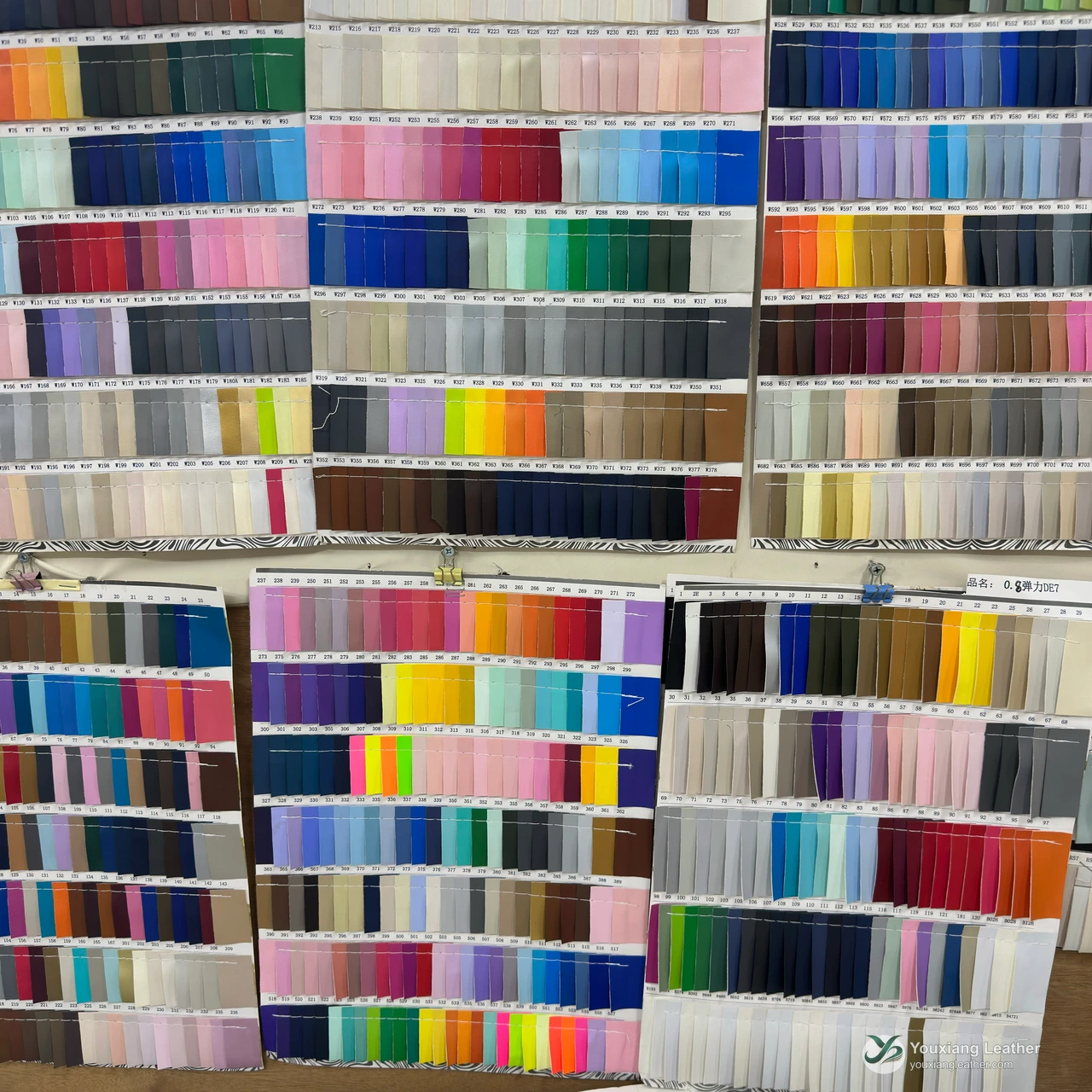
Use photographs to shortlist synthetic leather colors, then approve a physical sample under agreed viewing conditions. Keep the approved color reference linked to the material code, finish and backing. A color name or screen image alone is not an order-ready approval.
Youxiang Leather maintains more than 1,000 in-stock color references across its collections in Jinjiang, China. That does not mean every material, color and thickness is available in every quantity; confirm the exact article before ordering.
Decide what the reference represents
A shoe photo can communicate the intended appearance, while an approved material swatch is a more specific comparison reference. Tell the supplier whether you are matching an existing article, choosing a similar color for a new construction or exploring a different grain or finish.
Label the physical reference and keep one approved sample available to the purchasing team. If a customer supplies a color standard, record its identifier and version. Do not silently replace that standard with a screenshot taken under unknown lighting.
Send useful photographs for shortlisting
Photograph the material face, backing and edge. Add a wider view and a close-up of the surface, and identify which sample is the reference. Avoid filters and clearly label the candidates. Photos help the supplier identify likely options, but cannot establish final color equivalence.
Keep a small comparison sheet with one row per candidate: sample code, color reference, finish, backing and decision. If the material is rejected for its structure rather than its color, write that distinction down; otherwise the next sampling round may repeat the same mismatch.
Agree the lighting for physical approval
Datacolor explains that perceived color depends on the light source and that two samples matching under one light can differ under another, a phenomenon called metamerism. Its guide to light sources and color evaluation supports using defined, repeatable viewing conditions.
Ask the buyer to specify the approval conditions and any additional viewing conditions relevant to the finished product. Do not treat a description such as “office light” as a reproducible laboratory requirement. Where a brand specifies instrumental measurement or a numerical tolerance, pass on that exact requirement and ask what evidence can be supplied. We do not assume a tolerance or claim a measurement capability that has not been confirmed.
Keep color and finish decisions together
A procurement brief should state whether the surface grain and finish must also match. Two candidates described as the same color may still be different purchasing choices if the buyer requires a particular surface. Review the complete physical reference instead of approving a color code in isolation.
For example, if a candidate has the desired shade but a different grain, record it as a proposed alternative. Ask the design or approval team to decide whether that difference is acceptable before confirming it as a replacement.
Record the approval and recheck the order
| Record | Why it matters |
|---|---|
| Approved reference | Identifies the physical sample used for comparison. |
| Material and color codes | Connects the approval to a specific article. |
| Thickness, finish and backing | Prevents a color approval from being applied to a different construction. |
| Viewing and test requirements | Makes the buyer’s approval conditions explicit. |
| Quantity and current availability | Separates sample approval from stock confirmation. |
Use material matching to send your reference and requirements, or request physical samples. Our footwear sourcing checklist covers the other details needed before a quotation or order.
Have a material reference to match?
Send the shoe component, clear face, backing and edge photos, your color reference and estimated quantity.
Related guides
PU Shoe Uppers Tearing Along Stitch Lines
Check PU upper seam failures by separating thread breakage, material tear and yarn slippage, then plan comparable sewing trials and suitable testing.
Read guideHow Footwear Buyers Should Read a PU Hydrolysis Test Report
A PU hydrolysis test report is useful when you can connect its result to the material you intend to buy and the requirement your shoe must meet. Before approving a coated upper material, check four things: which sample was tested, how it was aged, what was evaluated afterwards, and which acceptance criteria were applied.
Read guide
How to Choose PU Leather for Shoe Uppers
Compare shoe components, backing, thickness and physical samples before choosing PU upper materials. Use this practical footwear sourcing checklist.
Read guide